Arturia AudioFuse Studio Rev2: Four Preamps, Eight Inputs, and a Real Desk Footprint
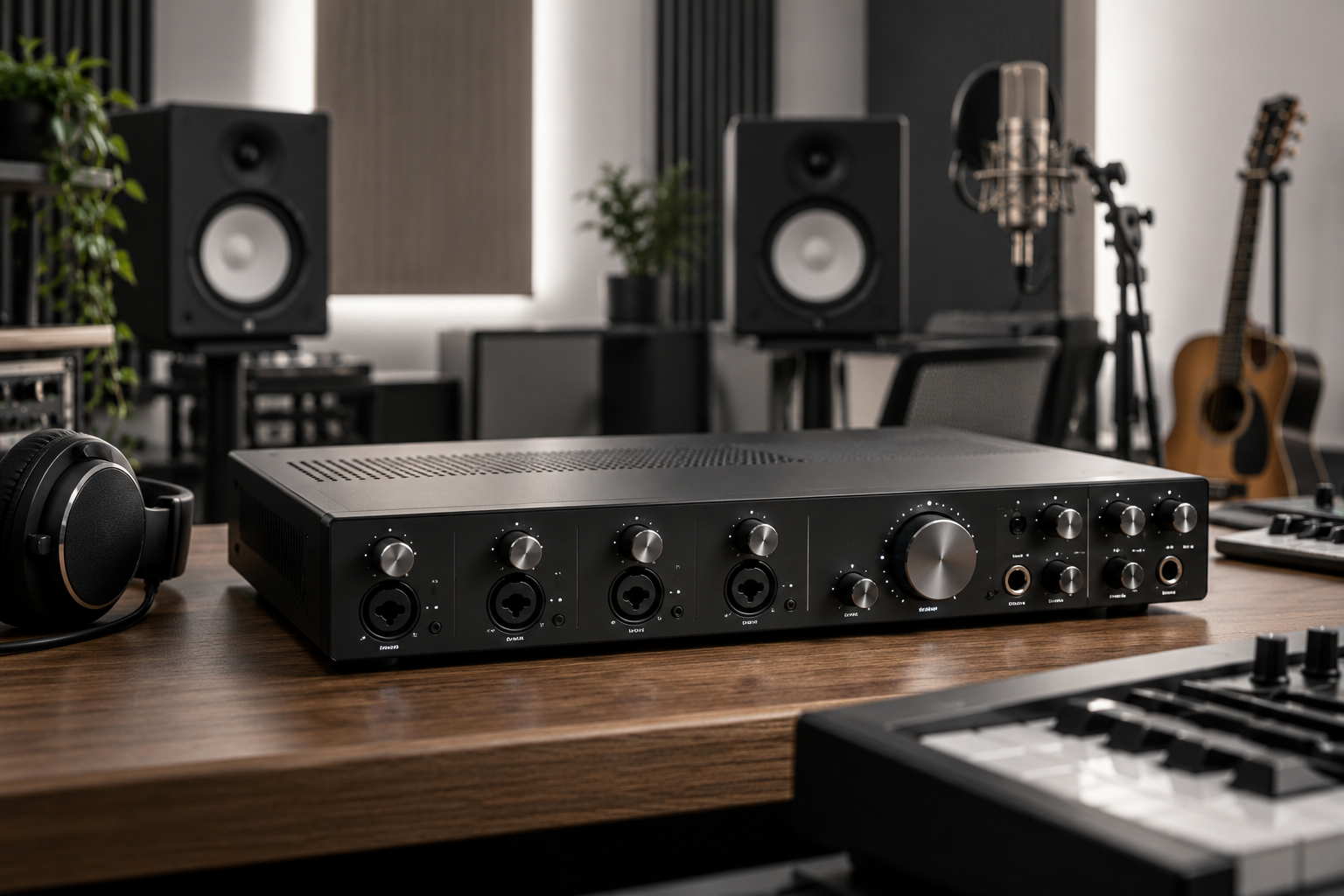
Buying an interface by input count is the same mistake as buying a mic pre by how many knobs it has. The number on the box tells you almost nothing about whether the thing will still be on your desk in five years. The Arturia AudioFuse Studio is a case where the input count is real (four preamps, eight inputs total once you count the digital and the inserts) but the case for it is built on everything around those preamps, not the preamps themselves. That is the part I want to walk through.
First, what it actually is. The AudioFuse Studio sits above the smaller AudioFuse in Arturia’s line as the desktop hub: a USB interface with a real metal chassis, a top-panel control surface rather than a row of front knobs, and enough I/O to run a small tracking session without an external preamp rack. Four mic preamps, two of them switchable to instrument level on the front. Eight inputs in total when you factor in the ADAT and the S/PDIF. Monitor and headphone routing that lives on the top plate, not buried in software. If you already own an AudioFuse Studio, none of this is news. If you are deciding whether to buy one, keep reading.
The preamps are the least interesting part, and that is the point
Arturia does not publish a discrete op-amp topology story the way some brands do, and the preamps are clean and quiet rather than characterful. That is not a knock. For the work most of us do, a preamp that stays out of the way is the correct choice. You can add colour at the mix stage with a plugin; you cannot remove a preamp’s colour from a take. The four preamps on the AudioFuse Studio are workhorses. They will not flatter a ribbon mic the way a high-end external pre will, and they will not smear a close-mic’d vocal in a way that sounds expensive. They just record what is in front of them.
Where this matters: if your plan is to track drums with four mics on the kit, the built-in preamps are plenty. If your plan is a single vocalist through a condenser into a chain you care about, budget for an external pre down the line. The AudioFuse Studio will happily accept it on the line inputs and stay out of the way, which is the correct behaviour.
Eight inputs without a patchbay
The four analog inputs are the headline, but the eight-input figure is what makes the unit a genuine small-studio hub. Two channels of ADAT optical and a stereo S/PDIF coax pair let you hang an external converter or a digital pre off the back and bring it into the same session. That is the difference between a two-input interface and something you can grow with.
I would push back on the idea that every project needs eight inputs. Most do not. But the projects that do, the ones where you are tracking a band live and want a room pair plus close mics plus a DI, are exactly the projects where swapping interfaces mid-session is a headache. If those sessions are part of your week, the input count is worth paying for. If they are not, you are buying capacity you will not use.
The desk footprint question
This is the part that decides whether the AudioFuse Studio lives on your desk or gets shoved onto a shelf. The unit is physically substantial. It sits at an angle, angled toward you, with the control surface facing up. That is great for reaching over and adjusting monitor level or muting a headphone mix without looking. It is less great if your desk is already crowded with a keyboard, a controller, and a monitor.
Measure your desk before you buy. The AudioFuse Studio wants a footprint roughly the size of a small mixer, and it does not tuck under a monitor the way a flat 2-in interface will. The upside is that the top-panel layout is genuinely usable: clearly labelled monitor and headphone sections, a master level control, and a small display that shows you what is going on without opening the Arturia software. The software (AudioFuse Control Center) is where the deeper routing and the loopback live, and it is fine, but you can run a session without touching it.
Where it annoys
A few honest gripes. The bundled software suite is generous, but the value of it depends entirely on whether you were going to use those instruments and effects anyway. If you already own a decent plugin collection, the bundle is a bonus, not a reason to buy.
The front-panel instrument inputs are useful, but you will want to keep a short cable plugged in if you are a guitarist who tracks DI frequently, because reaching around the front every time is a small friction that adds up. And the unit does not have a built-in talkback mic, which is a real omission for anyone tracking vocals in a separate room and needing to communicate without a second interface or a dedicated monitor controller. Budget for a talkback solution separately.
Who should buy it
If you are tracking a small band, running a songwriter setup with a couple of hardware synths and a vocal mic, or building a project studio where the interface doubles as your monitor controller, the AudioFuse Studio makes sense. It is a hub, not a vanity purchase, and the four preamps plus eight inputs mean you can stop thinking about the interface and start thinking about the session.
If you record one vocalist at a time, already own a high-end external pre, or work primarily in the box with a controller and a pair of monitors, you are paying for capacity you will not use. A smaller interface from the same range, or a competitor’s two-input box with better preamps per dollar, will do more for your recordings. The AudioFuse Studio is the right answer to a specific question, and that question is: do you need to plug in a lot of things at once and still reach the monitor knob without opening a laptop?
It is also worth remembering that the interface is the one purchase in your studio you will likely live with the longest. Preamps get swapped, plugins get updated, monitors get upgraded. The interface stays. Buy the one whose footprint and routing you can live with, and buy it once. The AudioFuse Studio is a strong candidate for that role, provided your desk has the room and your sessions need the inputs. If they do not, save the money and spend it on the microphone instead.